⌁
Real-time speed
GPS-based speed over ground with large digits, maximum and time-weighted average speed, GPS status, and knots, km/h, m/s and mph.
Marine GPS speed and safety awareness
See speed over ground, course, trip distance and time in a clear marine instrument view. Add course and anchor alarms plus a Man Overboard marker with return guidance, or switch to Cockpit Mode and Live Activity when you want to focus on the essentials.
GPS-based speed over ground with large digits, maximum and time-weighted average speed, GPS status, and knots, km/h, m/s and mph.
Start and stop a trip, track active time and GPS-based distance, and see course over ground with compass direction.
Follow a rolling speed graph with an average line on the main screen or open it on a dedicated history page.
Use a distraction-reduced full-screen view in portrait or landscape with Day, Night or High Contrast appearance.
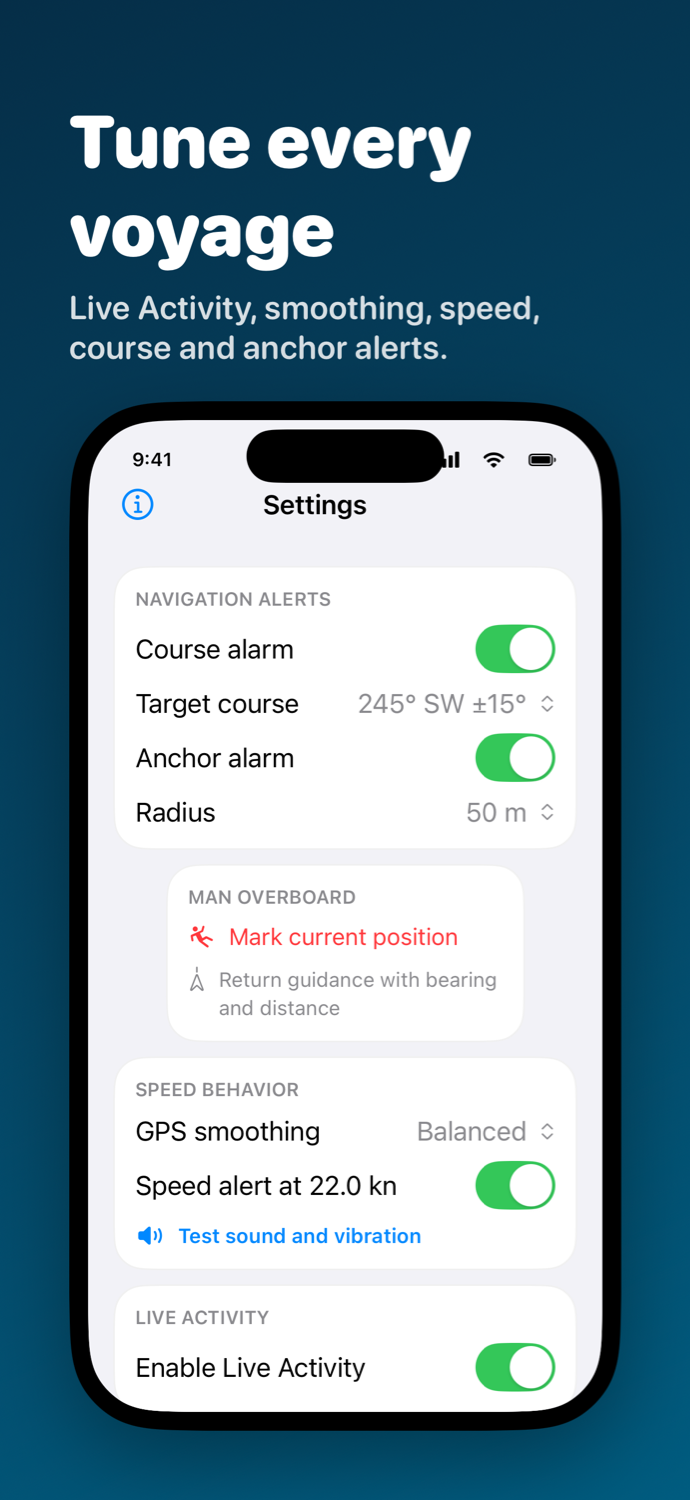
Choose Direct, Balanced or Stable GPS smoothing and set an optional speed alert with local sound and haptics.
Set a target course and allowed deviation. The app can sound and vibrate when course moves outside the tolerance while the app is active.
Store the current GPS position as your anchor and choose a radius. The app can warn when position moves outside it while the app is active.
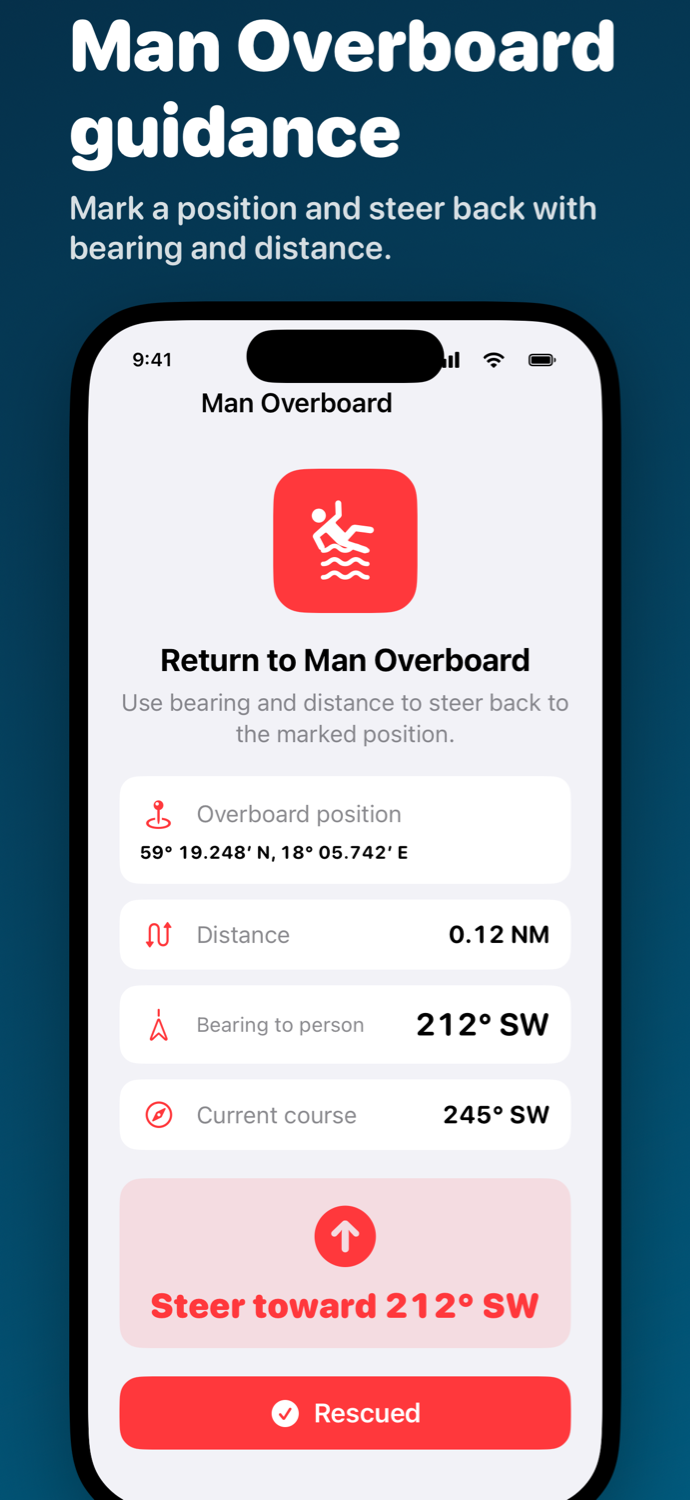
Mark the current position and open return guidance with distance, bearing to the marker, current course and a direction to steer.
Show only current speed and the selected unit on the Lock Screen and Dynamic Island. While enabled, GPS and an active trip may continue in the background.
Version 1.0
The main screen brings speed, trip and safety status together. Settings control display and alarms, while the Man Overboard view guides you back to the marked position.
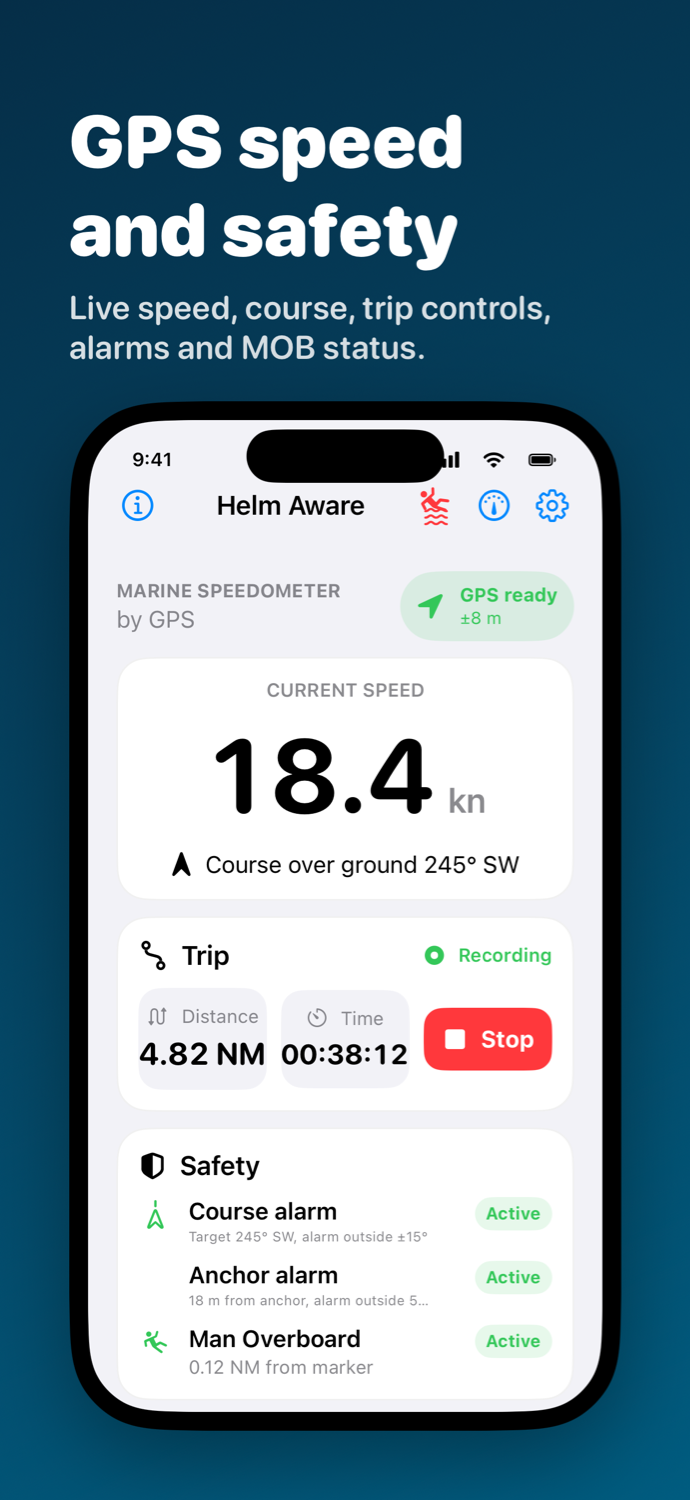
Course alarm, anchor alarm and Man Overboard appear together in a safety panel so you can quickly see which features are active and their current status.
Settings lets you choose whether course, the history graph and the unit panel appear on the main screen. When the graph is hidden, a toolbar button opens the dedicated history page.
Helm Aware requires no account, contains no ads and uses no analytics or tracking. Location, speed, course, trip, alarm, anchor and Man Overboard data is processed locally and is not sent to a server.
Helm Aware is an informational aid, not a certified navigation or safety instrument. Its alarms and Man Overboard feature do not replace safe navigation, established emergency procedures, emergency services or approved safety equipment.